ZeroBG
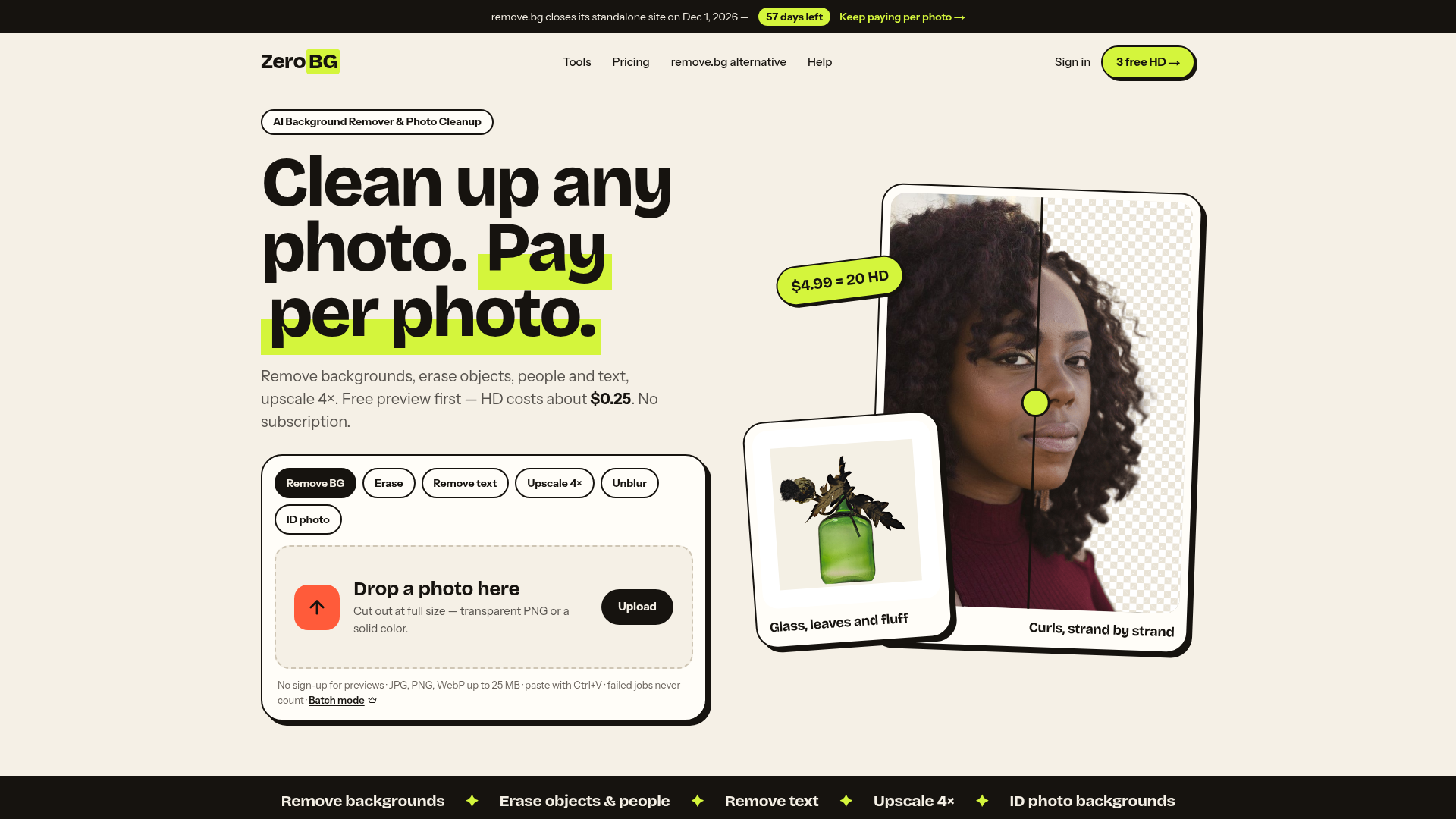
ZeroBG removes image backgrounds and cleans up photos with AI — erase people, objects and text, upscale 4×. Pay per photo. Free watermarked preview with no sign-up; watermark-free HD uses credits (3 free on sign-up, or 20 for $4.99).
ZeroBG Introduction
What is ZeroBG?
ZeroBG is an AI-powered online platform designed for comprehensive photo cleanup and enhancement. It serves as a direct alternative to remove.bg, especially following the announcement that remove.bg's standalone website will close on December 1, 2026, and integrate into Canva. ZeroBG provides a suite of tools to remove backgrounds, erase unwanted objects and text, upscale image resolution, and prepare photos for ID documentation—all under a flexible, pay-per-photo model without mandatory subscriptions.
Key Features of ZeroBG
-
Versatile AI Toolbox: Offers a wide array of tools, including background removal, object and person erasure, text removal, 4× image upscaling, and ID photo background replacement. This allows for handling various photo cleanup tasks in one place.
-
Pay-Per-Photo Model: Users only pay for the high-definition (HD) results they choose to keep. There is no subscription required, and credits never expire.
-
Free Previews: Every tool provides a free, watermarked 512 px preview of the result before any purchase, requiring no sign-up. This ensures users only pay for satisfactory outcomes.
-
Batch Processing & High Compatibility: Supports batch operations and accepts JPG, PNG, and WebP formats up to 25 MB. Users can also paste images directly (Ctrl+V), and failed processing jobs are never charged.
-
Exceptional Detail Handling: The AI is engineered to handle complex elements like fine hair, animal fur, glass transparency, intricate foliage, and detailed textures with high precision, delivering clean, high-resolution cutouts.
-
Credits That Never Expire: Purchased credits (e.g., from a $4.99 pack for 20 HD downloads) and sign-up bonus credits do not have an expiry date, offering long-term value.
-
Privacy-Focused Data Handling: User photos are retained only for a limited time (24 hours for non-account users, or according to the account plan's history period) before being automatically deleted.
How to Use ZeroBG
-
Upload or Paste Your Photo: Drag and drop your image onto the platform or paste it using Ctrl+V. The system supports files up to 25 MB.
-
Choose Your Tool: Select the specific tool you need, such as background remover, object eraser, or image upscaler.
-
Review the Free Preview: The AI will process your photo and generate a free, lower-resolution (512 px) preview with a watermark. No account is needed for this step.
-
Download HD Results (If Satisfied): If you are happy with the preview, you can create an account to receive 3 free HD credits upon sign-up. Use one credit to download the full-size, watermark-free HD version of the processed image. Additional credits can be purchased as needed.
Pricing Structure
ZeroBG operates on a transparent credit system:
-
Free Tier: Unlimited free watermarked previews. New accounts receive 3 complimentary HD credits.
-
Credit Packs: The primary offering is a one-time purchase of 20 HD credits for ### $4.99, which averages to about ### $0.25 per HD photo. These credits never expire.
-
Subscription Plans: Available for high-volume users, offering monthly credit allocations. Subscription credits are used first each month and do not roll over.
-
No Charge for Failures: If an AI processing job fails, it is not counted against your credits or free tries.
Helpful Tips for Maximizing ZeroBG
-
Leverage Free Previews: Always use the free preview to check the AI's work on complex details like hair, fur, or intricate edges before spending credits.
-
Utilize the Touch-Up Brush: The built-in touch-up brush is free to use. You can manually correct any minor mistakes the AI made in the cutout before finalizing the HD render.
-
Check Upscales at 100% Zoom: When using the 4× upscaler tool, zoom to 100% on the free preview to inspect the sharpness of edges and text before purchasing the HD result.
-
Consider Your Workflow: For occasional use, the one-time credit pack ($4.99 for 20) is ideal. For regular, high-volume editing, explore the monthly subscription plans.
-
Transition from remove.bg: With remove.bg closing its standalone site, ZeroBG offers a familiar pay-per-photo workflow without requiring a Canva account, making it a seamless alternative.
Frequently Asked Questions (FAQs)
Is ZeroBG completely free?
Every photo gets a free, watermarked 512 px preview without needing to sign up. New accounts receive 3 free HD credits. For continued HD use, credits can be purchased (e.g., 20 for $4.99).
What does one credit purchase?
One credit buys one full-resolution, watermark-free download from any tool on the platform. Re-downloading the same processed image later is free.
Do my credits expire?
Credits purchased in a pack (like the 20-credit bundle) and the 3 free sign-up credits never expire. Credits from a monthly subscription reset at the start of each billing cycle, do not roll over, and are used before any permanent credits.
What happens if a job fails?
If the AI fails to process your image, you are not charged any credits, and it does not count toward your daily free preview attempts.
How long does ZeroBG store my uploaded photos?
For users without an account, photos are deleted after 24 hours. For account holders, images are stored for the duration of your plan's history period and are then automatically deleted.
Can I remove people from a photo?
Yes, the "Erase objects & people" tool allows you to paint over tourists, clutter, or any unwanted person, and the AI will intelligently fill in the background.
Is ZeroBG suitable for professional product photos?
Absolutely. Its ability to create clean cutouts with transparent backgrounds or add solid colors with natural shadows makes it excellent for preparing product images for e-commerce listings.
How does ZeroBG compare to the closing remove.bg site?
ZeroBG operates on a similar pay-per-photo model but offers a broader toolbox (including eraser and upscale tools), free previews, and does not require integration into a larger platform like Canva.
 Cloudflare
 HTTP/3
 Vercel
Free AI Anime & Manga Generator
Free AI anime and manga generator. Turn text into anime episodes, manga, comics, webtoons and comic shorts in any art style — no drawing or animation skills needed.
LiftOff
LiftOff is the product launch platform for makers to launch products, earn upvotes, get discovered, and build momentum with a community that loves what is next.
AI Image Translator
Translate image text across 70+ languages with our advanced AI Image Translator to help you better expand your products globally to various countries
Featured
Advertised Here
Reach thousands of visitors daily. Get your spot now!